

Princess Style Workshop
Opens in a play window — no download required.
Reviews
Princess Style Workshop stands out for its focus on creative freedom. The character creation tools are straightforward, yet the variety of clothing and accessories allows for countless unique combinations. The drag-and-drop interface is responsive and kid-friendly. While the game lacks a story mode or challenges, its open-ended design encourages imaginative play. The ability to save and share designs adds a nice social element. Overall, it is a solid choice for anyone seeking a stress-free, family-friendly fashion experience.
Description
Character Creation Basics
Players begin by shaping the appearance of their princess character. The customization panel offers options for hair color, eye color, and skin tone, allowing for a wide range of looks. This initial step sets the foundation for the creative process, giving each player a unique starting point before moving into wardrobe selection.
Wardrobe Exploration
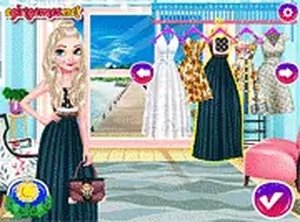
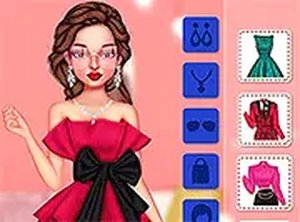
The game provides a large collection of clothing and accessories. Dresses, crowns, jewelry, shoes, and magical items like wands and capes are available for mixing and matching. Players can try different combinations by dragging items onto their character, seeing how each piece works together. This open-ended approach encourages experimentation without pressure.
Style Combinations
Players can blend elements from different themes. A classic princess look with a flowing gown and sparkling tiara is one option, while a warrior princess style with armor and a horse offers a contrasting choice. The game supports combining these themes, so a player might pair a crown with armor or add magical accessories to a traditional outfit. This flexibility supports storytelling and personal taste.
Saving and Sharing
Once a design is complete, players can save their creation. The game includes options to share finished looks with friends, allowing for feedback and inspiration. This feature adds a social layer to the experience, encouraging players to show off their work and see what others have made.
Accessibility and Controls
The interface uses simple drag-and-drop mechanics, making it easy for younger players to navigate. No complex menus or instructions are needed, so players of all skill levels can start designing immediately. The family-friendly environment ensures content remains appropriate for everyone.





Comments
Sign in to leave a note
You must be logged in before posting a review or rating.
No account? Create one
No comments yet. Be the first to comment!